Get Started
Install the SDK and catch a stuck tool loop without an API key.
View GitHub
Explore the Python SDK, examples, and tests.
See the problem
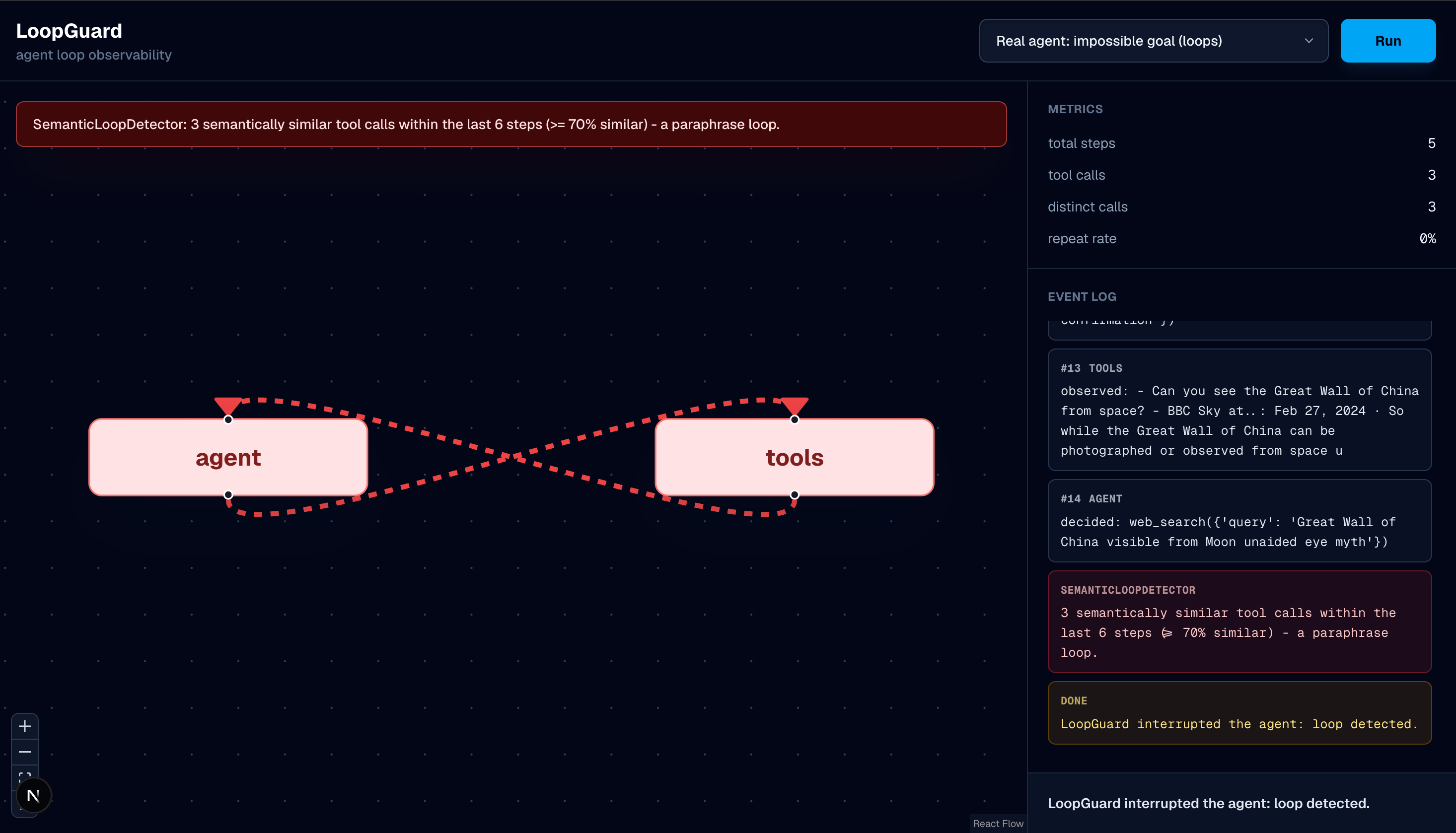
Screenshot from a LoopGuard demo run showing repeated intent and an interrupted run.
Where LoopGuard fits
LoopGuard focuses on whether an agent is still making progress. It is not an agent framework, a general observability platform, a tracing replacement, or an LLM evaluation platform. Keep your existing agent and tracing tools; add LoopGuard where you need evidence about repetition and stuck runs. The Python package includes LangGraph/LangChain tool callbacks, a live-stream wrapper, and saved-trace analysis. The local demo helps you compare healthy repeats with runs that should stop.The published
0.2.1 package supports the core callback and trace workflows.
Gemini support, controlled demo scenarios, and additional decision display fields
currently require the source checkout. See release scope.Integrate with your agent
Attach callbacks and handle runtime stop decisions.
Understand the pipeline
Follow an event from the agent to a runtime decision.
Recognize stuck behavior
Compare repetition, failure, no progress, and cycles.
Compare demo scenarios
See healthy recovery beside runs that should stop.
Ask about LoopGuard
Use the menu beside the page title to open the current documentation page in ChatGPT, Claude, Google AI Studio (Gemini), Perplexity, or Grok. These links open an external AI tool using your own account and include the page as context for questions. Try asking how to attach the callback, why a repeated tool call didn’t stop, or which features are available in the published package. Start from the relevant guide or reference page and ask for links to the supporting documentation. For a project-wide question, include the published site’sllms.txt index or
llms-full.txt export. If the tool cannot fetch a page, use Copy page from
the same menu and paste the Markdown into your conversation. Public page fetching
needs the deployed docs URL; an external tool cannot read your localhost preview.